

Description
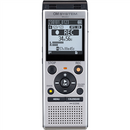
OM System (formerly Olympus) WS882
MP3/Linear PCM Stereo Digital Recorder, 4GB, Micro SD Slot, up to 1040 Hrs recording, Mass Storage
Equipped with a variety of recording functions, the WS-883/WS-882 can record in easy-to-hear sound, whether in a lecture in a large classroom or in a language conversation class for one-on-one lessons.
Superb stereo feeling with True Stereo Microphones
Superb stereo feeling with True Stereo Microphones
Two low-noise directional microphones positioned at a 90° layout enables high quality recording in a realistic stereo feeling. This feature ensures that you capture even the di-rection and the distance of the speakers in a meeting.
During recording, the low-cut filter is used to cut the sound at frequencies of 300 Hz and lower, typical examples being the sound of air conditioner or projector fans. This filter also proves effective when recording with wind blowing outside. By cutting the lower frequency during recording ensures natural sounding without distortion while playback. You can select ON or OFF according to your option.
Automatic sensitivity adjustment with Intelligent Auto Mode
The Intelligent Auto Mode function automatically adjusts the microphone sensitivity ac-cording to the input level. For example, when you record the voice of a person far away in a large meeting room, the input level tends to be lower. For this case, the recorder au-tomatically raises the sensitivity of the microphone making them easier to hear. On the other hand, when you record in a smaller meeting room with only a few people, the sen-sitivity is automatically lowered, so that the voice of the speakers close by do not sound too loud. In this way, the function automatically keeps track of the input level and simul-taneously adjust the recording level so that it always record in the best quality. This en-sures that the recording remains consistent not having speakers too quiet or too loud. To set this function, simply select “Auto” for the recording level from the menu. When low, the sensitivity is raised When high, the sensitivity is lowered.
Contact Us
Payment & Security
Your payment information is processed securely. We do not store credit card details nor have access to your credit card information.